Inspecting Parquet files from the command line with parquet-cli
parquet-cli is the maintained command-line tool for Parquet, and it does more than parquet-tools ever did. Here is the command-for-command migration, every transcript captured from a real run, plus what to know about rewrite.
- Where Parquet tooling lives now
- Getting parquet-cli
- Building a file to inspect
- The command map
- Reading data
- Reading the schema
- meta: the best first command
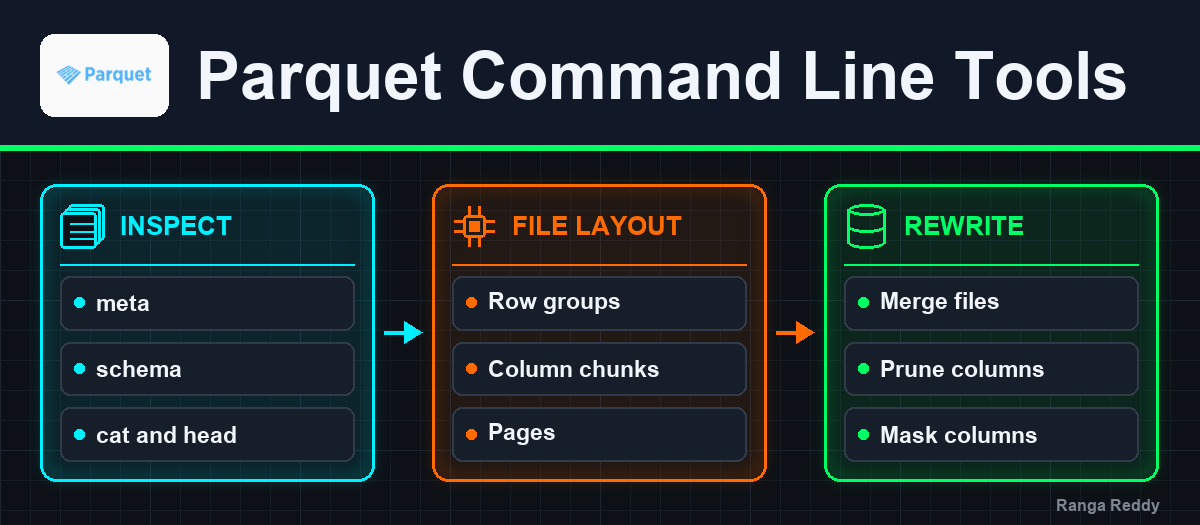
- Architecture: row groups, column chunks and pages
- rewrite: merge, prune, mask, recompress
- Production tips
- Seeing the same structure visually with Petquar
- Where parquet-cli fits best
- Conclusion
- References
TL;DR
parquet-cliis where Parquet tooling is maintained now.parquet-toolswas renamed toparquet-tools-deprecatedand then dropped from the build entirely.- The command set is broader rather than renamed.
rowcount,size,dumpandmergeare covered bymeta,column-size,pagesandrewrite, and there are new commands for bloom filters, size statistics and geospatial statistics.rewriteis the one to learn first. A single command merges files, prunes columns, masks columns and changes the compression codec, and it supersedesprune.rewritemerges by copying row groups intact, which is what makes it fast. Two 10-row files become one file with two row groups of 10, so use your table format’s compaction when you want re-chunking.- After
--prune-columns, confirm the result withmetaorcolumn-size, which read the physical schema. The storedparquet.avro.schemametadata is copied through unchanged, so an Avro-model reader reports the pruned field asnull.- To see the row group, column chunk and page hierarchy rather than read it, Petquar draws it in a browser from the footer and page headers alone, without decoding any data.
Where Parquet tooling lives now
parquet-tools was the standard way to look inside a Parquet file for years,
and parquet-cli has taken over that role. You can trace the handover by diffing
the root pom.xml across releases:
| Parquet release | Module in the root pom.xml |
|---|---|
| 1.11.2 | parquet-tools |
| 1.12.0 to 1.12.2 | parquet-tools-deprecated |
| 1.12.3 and later | not present |
The replacement, parquet-cli, has been in the build the whole time and is
still there today.
The repository itself was also renamed: apache/parquet-mr is now
apache/parquet-java.
The old jar is still on Maven Central, so a parquet-tools-1.11.2.jar you
downloaded in 2022 keeps working on older files. parquet-cli is where five
years of fixes and every newer format feature landed, including size statistics,
geospatial statistics and the Parquet variant type, so it is the better choice
for files written by a current Spark, Hudi or Iceberg.
Every transcript below is real output from parquet-cli 1.18.0 on Java 17.
Getting parquet-cli
The published parquet-cli runtime jar deliberately does not bundle Hadoop,
which keeps it small and lets it pick up whatever Hadoop and connector versions
your cluster already has. There are two easy ways to run it.
On a cluster, where Hadoop is already there
This is the easy case, and the one you will use most. hadoop jar puts the
whole Hadoop client classpath in front of you:
wget -O parquet-cli.jar \
  https://repo1.maven.org/maven2/org/apache/parquet/parquet-cli/1.18.0/parquet-cli-1.18.0-runtime.jar

hadoop jar parquet-cli.jar org.apache.parquet.cli.Main \
  meta hdfs:///warehouse/hr/employees/part-00000-8f3a1c92.parquet
The same jar reads cloud object storage, as long as the matching connector is on the classpath:
hadoop jar parquet-cli.jar org.apache.parquet.cli.Main \
  meta s3a://lakehouse-prod/warehouse/hr/employees/part-00000-8f3a1c92.parquet
On a laptop, with no Hadoop install
Fetch the runtime jar plus the shaded Hadoop client and the few libraries
parquet-cli expects to find. Include an SLF4J binding: parquet-cli writes its
output through SLF4J, so the binding is what makes the output appear. The script
below sets up a working wrapper in one go.
mkdir -p ~/parquet-cli && cd ~/parquet-cli

BASE=https://repo1.maven.org/maven2
curl -sLO $BASE/org/apache/parquet/parquet-cli/1.18.0/parquet-cli-1.18.0-runtime.jar
curl -sLO $BASE/org/apache/hadoop/hadoop-client-api/3.4.1/hadoop-client-api-3.4.1.jar
curl -sLO $BASE/org/apache/hadoop/hadoop-client-runtime/3.4.1/hadoop-client-runtime-3.4.1.jar
curl -sLO $BASE/com/google/guava/guava/33.4.0-jre/guava-33.4.0-jre.jar
curl -sLO $BASE/com/google/guava/failureaccess/1.0.2/failureaccess-1.0.2.jar
curl -sLO $BASE/commons-logging/commons-logging/1.3.5/commons-logging-1.3.5.jar
curl -sLO $BASE/org/slf4j/slf4j-api/1.7.36/slf4j-api-1.7.36.jar
# Without an SLF4J binding, parquet-cli runs and prints nothing.
curl -sLO $BASE/org/slf4j/slf4j-reload4j/1.7.36/slf4j-reload4j-1.7.36.jar
curl -sLO $BASE/ch/qos/reload4j/reload4j/1.2.25/reload4j-1.2.25.jar

cat > log4j.properties <<'PROPS'
log4j.rootLogger=INFO, console
log4j.appender.console=org.apache.log4j.ConsoleAppender
log4j.appender.console.target=System.out
log4j.appender.console.layout=org.apache.log4j.PatternLayout
log4j.appender.console.layout.ConversionPattern=%m%n
PROPS

cat > parquet <<'SH'
#!/usr/bin/env bash
DIR="$(cd "$(dirname "${BASH_SOURCE[0]}")" && pwd)"
exec java -cp "$DIR/*:$DIR" org.apache.parquet.cli.Main "$@"
SH
chmod +x parquet
Every example from here on uses that parquet wrapper.
Building a file to inspect
parquet-cli can create a Parquet file from CSV, which is convenient for
reproducing a problem. Supply an explicit Avro schema so the column types are
what you meant rather than what got inferred:
cat > employees.csv <<'CSV'
employee_id,first_name,last_name,email,phone_number,hire_date,salary,manager_id
1,Ranga,Reddy,rangareddy@yahoo.com,99509833,2007-06-21,2600,
2,Raja Sekhar,Reddy,raja@gmail.com,75050798,2008-01-13,2600,1
3,Vasundra,Reddy,vasu@gmail.com,91512344,2003-09-17,4400,1
4,Meena,P,meena@test.com,81535555,2004-02-17,13000,2
5,Manoj,Kumar,manu@rediff.com,60312366,2005-08-17,6000,3
6,Vinod,Kumar,vinod@zoho.com,71237777,2002-06-07,6500,3
7,Raja,Reddy,rajar@yahoo.co.in,91518888,2002-06-07,10000,4
8,Shiva,P,shiva@mymail.com,81512380,2002-06-07,12008,6
9,Reddy,Babu,babu@mail.com,91528181,2002-06-07,8300,7
10,Nishanth,Reddy,nish@nish.com,61512347,2003-06-17,24000,2
CSV

cat > employees.avsc <<'AVSC'
{
  "type": "record",
  "name": "employees",
  "namespace": "com.rangareddy.hr",
  "fields": [
    {"name": "employee_id",  "type": "int"},
    {"name": "first_name",   "type": "string"},
    {"name": "last_name",    "type": "string"},
    {"name": "email",        "type": "string"},
    {"name": "phone_number", "type": "long"},
    {"name": "hire_date",    "type": "string"},
    {"name": "salary",       "type": "int"},
    {"name": "manager_id",   "type": ["null", "int"], "default": null}
  ]
}
AVSC

./parquet convert-csv employees.csv -s employees.avsc -o employees.parquet --overwrite
One note on schemas: the CSV reader takes physical Avro types rather than
logical ones, so keep dates as string in the .avsc when the source is CSV, or
convert from Avro or JSON when you want date and decimal logical types.
The command map
This is the table to keep. The left column is what you typed with
parquet-tools; the right column is what does that job now, and the bottom rows
are capabilities the old tool never had.
parquet-tools |
parquet-cli |
Note |
|---|---|---|
cat |
cat |
Same idea, JSON output by default |
head -n N |
head / cat -n N |
head defaults to 10 records, not 5 |
schema |
schema |
Prints the Avro schema; meta prints the Parquet message type |
meta |
meta |
Now also prints per-column stats and encodings |
rowcount |
meta |
No dedicated command; read count: off the row groups |
size |
column-size / size-stats |
Per-column bytes and ratio, or unencoded size statistics |
dump |
pages, dictionary, footer, column-index |
Split into one command per structure |
merge |
rewrite -i a,b -o out |
Takes a comma-separated input list |
| (none) | prune |
Deprecated, removed in 2.0.0, use rewrite --prune-columns |
| (none) | masking / rewrite --mask-mode |
Nullify column values in place |
| (none) | bloom-filter, scan, check-stats, trans-compression, geospatial-stats |
Newer format features |
The full list is registered in
Main.java,
which is the authoritative answer to “does this version have that command”.
Reading data
cat prints records as JSON, one per line. head is the same command bound to a
10-record limit, and -n overrides it:
./parquet cat -n 2 employees.parquet
{"employee_id": 1, "first_name": "Ranga", "last_name": "Reddy", "email": "rangareddy@yahoo.com", "phone_number": 99509833, "hire_date": "2007-06-21", "salary": 2600, "manager_id": null}
{"employee_id": 2, "first_name": "Raja Sekhar", "last_name": "Reddy", "email": "raja@gmail.com", "phone_number": 75050798, "hire_date": "2008-01-13", "salary": 2600, "manager_id": 1}
Unlike parquet-tools cat, there is no separate --json flag, because JSON is
the only output format.
Reading the schema
schema gives you the Avro view, which is what most downstream readers see:
./parquet schema employees.parquet
{
  "type" : "record",
  "name" : "employees",
  "namespace" : "com.rangareddy.hr",
  "fields" : [ {
    "name" : "employee_id",
    "type" : "int"
  }, {
    "name" : "first_name",
    "type" : "string"
  }, {
    "name" : "manager_id",
    "type" : [ "null", "int" ],
    "default" : null
  } ]
}
The Parquet message type is a different thing, and when you are debugging a
type-mismatch it is the one you want, because it shows physical types,
required versus optional, and the logical-type annotations. It comes out of
meta, covered next.
meta: the best first command
meta replaces three old commands at once. It reports the writer, the key-value
metadata, the Parquet message type, and per-column statistics per row group:
./parquet meta employees.parquet
File path:  employees.parquet
Created by: parquet-mr version 1.18.0 (build 0209dfb48d153f2f3e49a9f12addebe15c0f1d77)
Properties:
  parquet.avro.schema: {"type":"record","name":"employees","namespace":"com.rangareddy.hr","fields":[...]}
    writer.model.name: avro
Schema:
message com.rangareddy.hr.employees {
  required int32 employee_id;
  required binary first_name (STRING);
  required binary last_name (STRING);
  required binary email (STRING);
  required int64 phone_number;
  required binary hire_date (STRING);
  required int32 salary;
  optional int32 manager_id;
}

Row group 0:  count: 10  89.50 B records  start: 4  total(compressed): 895 B total(uncompressed):882 B
--------------------------------------------------------------------------------
              type      encodings count     avg size   nulls   min / max
employee_id   INT32     G   _     10        6.70 B     0       "1" / "10"
first_name    BINARY    G   _     10        12.10 B    0       "Manoj" / "Vinod"
last_name     BINARY    G _ R     10        11.50 B    0       "Babu" / "Reddy"
email         BINARY    G   _     10        15.70 B    0       "babu@mail.com" / "vinod@zoho.com"
phone_number  INT64     G   _     10        9.60 B     0       "60312366" / "99509833"
hire_date     BINARY    G _ R     10        14.40 B    0       "2002-06-07" / "2008-01-13"
salary        INT32     G   _     10        8.20 B     0       "2600" / "24000"
manager_id    INT32     G _ R     10        11.30 B    1       "1" / "7"
Four things to read off this, in the order they usually matter:
Created by identifies the writer. On a mixed cluster this is how you find
out that half your files came from an old engine. Note that the string still
says parquet-mr even in 1.18.0, despite the repository rename.
count: per row group is the row count, so meta is also rowcount. Add
them up across row groups for the file total.
The min / max column is why predicate pushdown works or does not. If a
filter on salary is not pruning row groups, look here first: statistics that
are absent, or present but useless because the column is unsorted and every row
group spans the full range, explain it immediately.
The nulls column is a fast data-quality check. manager_id showing 1 null
across 10 rows matches the CEO having no manager.
The encodings column is compact: G is a dictionary-encoded column chunk,
_ means no dictionary fallback, and R indicates RLE. Use pages when you
need the per-page detail.
Architecture: row groups, column chunks and pages
Every command below reports on one level of the same three-level hierarchy, so it is worth naming the levels before reading their output.
A Parquet file is a sequence of row groups, each a horizontal slice of the rows. Within a row group, each column’s values for those rows live in one column chunk, which is the unit that gets its own encoding, compression and min/max statistics. A column chunk is in turn a sequence of pages, which is the smallest unit the reader decompresses.
That structure is what makes the tooling map onto commands the way it does:
meta reports the file and its row groups, column-size aggregates column
chunks, and pages opens a single column chunk. It is also why predicate
pushdown is a row-group-level and page-level decision: the engine compares your
filter against the statistics at those levels and skips whole chunks or pages it
can prove irrelevant.
column-size answers “which column is my file”, which is the first question
when a table is unexpectedly large:
./parquet column-size employees.parquet
manager_id-> Size In Bytes: 113 Size In Ratio: 0.12625699
employee_id-> Size In Bytes: 67 Size In Ratio: 0.074860334
last_name-> Size In Bytes: 115 Size In Ratio: 0.12849163
phone_number-> Size In Bytes: 96 Size In Ratio: 0.10726257
hire_date-> Size In Bytes: 144 Size In Ratio: 0.16089386
salary-> Size In Bytes: 82 Size In Ratio: 0.09162011
first_name-> Size In Bytes: 121 Size In Ratio: 0.13519552
email-> Size In Bytes: 157 Size In Ratio: 0.17541899
Note the output is unordered, so sort it yourself on a wide table. On a real fact table this is where you discover that one JSON blob column is 70% of your storage.
pages drops to page level within a column chunk, which is where you go when
compression or encoding is the question:
./parquet pages employees.parquet -c salary
Column: salary
--------------------------------------------------------------------------------
  page   type  enc  count   avg size   size       rows     nulls   min / max
  0-0    data  G _  10      5.90 B     59 B
size-stats reports the Parquet size statistics added to the format more
recently, including the unencoded byte size and the repetition and definition
level histograms that let an engine estimate decode cost without reading the
data. Columns with no entry simply have no size statistics written:
./parquet size-stats employees.parquet
File path: employees.parquet

Row group 0
--------------------------------------------------------------------------------
column         unencoded bytes rep level histogram   def level histogram
[employee_id]  -               -                     -
[first_name]   61 B            -                     -
[last_name]    41 B            -                     -
[email]        150 B           -                     -
[phone_number] -               -                     -
[hire_date]    100 B           -                     -
[salary]       -               -                     -
[manager_id]   -               -                     -
rewrite: merge, prune, mask, recompress
rewrite is the command worth real attention: it is the only one that writes
data, and it absorbed several older tools into one interface. Its own help text
is explicit that prune is
deprecated and will be removed in 2.0.0
in favour of it.
Merging several files and switching the codec at the same time:
./parquet rewrite \
  -i employees.parquet,employees_b.parquet \
  -o employees_merged.parquet \
  -c ZSTD \
  --overwrite
How merging handles row groups
Here is the behaviour worth understanding before you rely on it. Reading the merged file back:
./parquet meta employees_merged.parquet
Row group 0:  count: 10  87.00 B records  start: 4    total(compressed): 870 B total(uncompressed):880 B
Row group 1:  count: 10  87.00 B records  start: 874  total(compressed): 870 B total(uncompressed):880 B
Two 10-row inputs became one file with two row groups of 10 rows rather than one
row group of 20. rewrite copies row groups intact, which is exactly why it is
fast: it moves column chunks without decoding them. That makes it ideal for
changing a codec, dropping a column or consolidating a handful of files cheaply.
For re-chunking, reach for the tool built for it: your table format’s own
compaction, such as Hudi clustering or Iceberg rewrite_data_files, or a rewrite
through an engine. rewrite gives you a cheap physical merge; compaction gives
you better row-group sizing.
Verifying a column prune
When you prune a column, it is worth knowing which command to verify with. Prune a column and nullify another:
./parquet rewrite \
  -i employees.parquet \
  -o employees_masked.parquet \
  --prune-columns phone_number \
  --mask-mode nullify --mask-columns manager_id \
  --overwrite
The Parquet message type is correctly pruned to seven columns:
message com.rangareddy.hr.employees {
  required int32 employee_id;
  required binary first_name (STRING);
  required binary last_name (STRING);
  required binary email (STRING);
  required binary hire_date (STRING);
  required int32 salary;
  optional int32 manager_id;
}
The parquet.avro.schema entry in the file’s key-value metadata still declares
phone_number, because rewrite copies key-value metadata through untouched. An
Avro-model reader follows that schema, finds no column, and returns null:
./parquet head -n 1 employees_masked.parquet
{"employee_id": 1, "first_name": "Ranga", "last_name": "Reddy", "email": "rangareddy@yahoo.com", "phone_number": null, "hire_date": "2007-06-21", "salary": 2600, "manager_id": null}
The prune worked: phone_number is physically gone and column-size lists
seven columns. The record-model view simply reports the field from the stored
Avro schema. So for a GDPR deletion, verify with meta or column-size, which
read the physical Parquet schema, and you get a clear answer.
Masking optional columns
Nullify needs somewhere to put the null, so it applies to optional columns. On
a required column it stops and tells you clearly:
java.io.IOException: Required column [email] cannot be nullified
	at org.apache.parquet.hadoop.rewrite.ParquetRewriter.processBlock(ParquetRewriter.java:533)
To scrub a non-nullable column, prune it instead, or rewrite the data through an
engine that can change required to optional first.
Production tips
- Start with
meta. Writer, row counts, statistics and the message type in one command answer most questions. - Use
metafor row counts, and add the per-row-groupcount:values. There is norowcount. - Sort
column-sizeyourself. The output order is not by size. - Check
min / maxinmetafirst when a filter is not pruning as much as you expect. It usually answers the question immediately. - Use
rewritefor cheap physical changes and your table format’s compaction for row-group sizing.rewritepreserves row-group boundaries. - After
--prune-columns, verify withmetaorcolumn-size. They read the physical schema, whilecatandheadfollow the stored Avro schema. - On a cluster, prefer
hadoop jarso the Hadoop and connector classpath is already correct. - Pin the version in your notes.
Main.javaat the release tag is the only reliable list of which commands your jar has.
Seeing the same structure visually with Petquar
parquet-cli prints the hierarchy one level at a time, and you rebuild the
picture in your head. Petquar, a small
open-source tool from Vu Trinh
(introduced here),
draws it instead: the file as nested blocks, with a panel that explains
whichever block you click.
+------+-----------------------------------------------+----------+------+
| PAR1 | Row group 0                                    |  footer  | PAR1 |
|      |  +----------+ +----------+ +----------+        | (thrift) |      |
|      |  | column   | | column   | | column   |  ...   |          |      |
|      |  | chunk    | | chunk    | | chunk    |        |          |      |
|      |  | +------+ | | +------+ | | +------+ |        |          |      |
|      |  | | page | | | | page | | | | page | |        |          |      |
|      |  | +------+ | | +------+ | | +------+ |        |          |      |
|      |  +----------+ +----------+ +----------+        |          |      |
|      | Row group 1 ...                                |          |      |
+------+-----------------------------------------------+----------+------+
That is the same three-level hierarchy as the section above, plus the two
things at the edges that meta never shows you as blocks. A file begins and
ends with the four bytes PAR1. A reader goes to the end of the file, reads
the footer length stored just before the trailing PAR1, and seeks straight to
the footer, which holds the schema and every row group’s and column chunk’s
offsets and statistics. That is why nothing ever scans a Parquet file to find
its structure.
What it reads, and what it never reads
Petquar is a Python command with a Rust extension. The extension uses the
parquet crate from apache/arrow-rs to
parse the metadata, and a local FastAPI server serves that metadata to the
browser. It reads three things, and none of them is row data:
| Level | What it reads | What it shows |
|---|---|---|
| File | The footer, with the page index | Schema tree, row groups, file size |
| Column chunk | Footer entries per chunk | Type, codec, encodings, sizes and ratio, min/max/nulls, bloom filter present, column and offset index present |
| Page | The offset index, or page headers | Each page’s offset, size, row range and, where the column index has them, min/max |
The page level is the interesting part. When a column chunk has an offset index, Petquar lists the pages from it directly. When it does not, it walks the chunk instead: it reads a page header, which states that page’s compressed size, skips that many bytes to the next header, and repeats until the chunk’s byte range is used up. It decodes each Thrift header straight off the file and seeks past the page body, so even that fallback reads only the header bytes of each page, never the size of the column.
That is the trade-off it makes. Reading only metadata makes it fast on a large
file and safe to point at sensitive data, because no values are decoded. The
cost is that it cannot show you values, dictionary contents or a re-computed
statistic. For those, cat, dictionary and check-stats above are still the
tools.
Running it
At the time of writing Petquar is at version 0.1.0 and is not published on PyPI,
so installing it builds the Rust extension from source. Install a Rust toolchain
from rustup.rs first, or the pip build fails:
pip install git+https://github.com/vutrinh274/petquar.git
petquar employees.parquet
It prints the address it is serving on and opens a browser tab. By default it
binds to 127.0.0.1:8000. On a remote box, pass --no-browser, choose a port
with --port, and reach it through an SSH tunnel rather than binding to a
public interface.
Two limits to know about in 0.1.0. It reads local files only: s3:// and
s3a:// paths are rejected with a “not implemented yet” error, so copy the file
down first (aws s3 cp, mc cp or hdfs dfs -get). And the predicate-pushdown
view that would highlight which row groups a filter prunes exists only as a
placeholder so far.
Which tool for which question
| Question | Petquar | parquet-cli |
|---|---|---|
| How is this file laid out? | The whole file in one view | meta, then pages per column |
| Which column chunk is large? | Row-group height and chunk width scale with compressed bytes | column-size, sorted by hand |
| Do min/max statistics exist here? | Per chunk, and per page from the column index | meta, column-index |
| Is there a bloom filter? | A yes or no per chunk | bloom-filter, which also probes a value |
| What are the actual values? | Not shown, by design | cat, head, dictionary |
| File on S3 or HDFS? | Copy it locally first | hadoop jar reads it in place |
| Change the file? | Read-only | rewrite |
The two tools do different jobs. Petquar is the fastest way to see a file you
have never opened, or to show a colleague why their filter does not prune.
parquet-cli answers the precise question afterwards and scripts cleanly into
CI.
Where parquet-cli fits best
parquet-cli is the right tool whenever the question is about one file: is the
statistic there, what wrote it, why is this column so large, what encodings did
it choose. For that it is unbeatable, and it needs nothing but the file.
Table-level questions have their own tooling, and pairing the two is the
productive combination. A file under a Hudi, Iceberg or Delta table path is one
version of one file group, so the table format is what knows whether it is live,
which delete files or deletion vectors apply, what is pending compaction and how
the schema has evolved. Use Hudi’s CLI and metadata table or Iceberg’s metadata
tables and CALL procedures for those, then drop to parquet-cli for the file
in front of you.
Conclusion
The move from parquet-tools to parquet-cli is often described as a rename,
and it is better than that. The command set genuinely grew: dump became four
focused commands, rewrite took over from both merge and prune, and there
are new commands for bloom filters, size statistics and geospatial statistics
that the old tool never had. Two commands carry most of the daily work. meta
answers the writer, row-count, schema and statistics questions in one shot, and
rewrite handles every physical change to a file.
The two rewrite behaviours in this post are the ones worth carrying forward,
and both follow from a single sensible design decision. Because rewrite copies
column chunks rather than decoding them, it is fast, it preserves row-group
boundaries, and it passes key-value metadata through untouched. That tells you
where it fits: excellent for recompressing, pruning and consolidating, and paired
with your table format’s compaction when you want row groups resized. It also
tells you which command verifies a prune, since meta and column-size read the
physical schema.
If you arrived here searching for parquet-tools, the old jar still runs and
there is no urgency. When you do switch, the command map above is the whole
migration, and you get the newer format features for free.
References
- Apache Parquet Java on GitHub, formerly
apache/parquet-mr Main.javainparquet-cli, the registered command listparquet-clion Maven Central for the runtime jar- Parquet file format specification for row groups, column chunks, pages and statistics
- Petquar on GitHub, a browser visualiser for Parquet metadata, by Vu Trinh
- I spent 10 hours vibe-coding a tool, Vu Trinh’s introduction to Petquar
Found this useful?
These posts and tools are free. If one saved you an afternoon, you can buy me a coffee.