Spark on Kubernetes on your Mac: kind, spark-submit, the Spark Operator and Iceberg
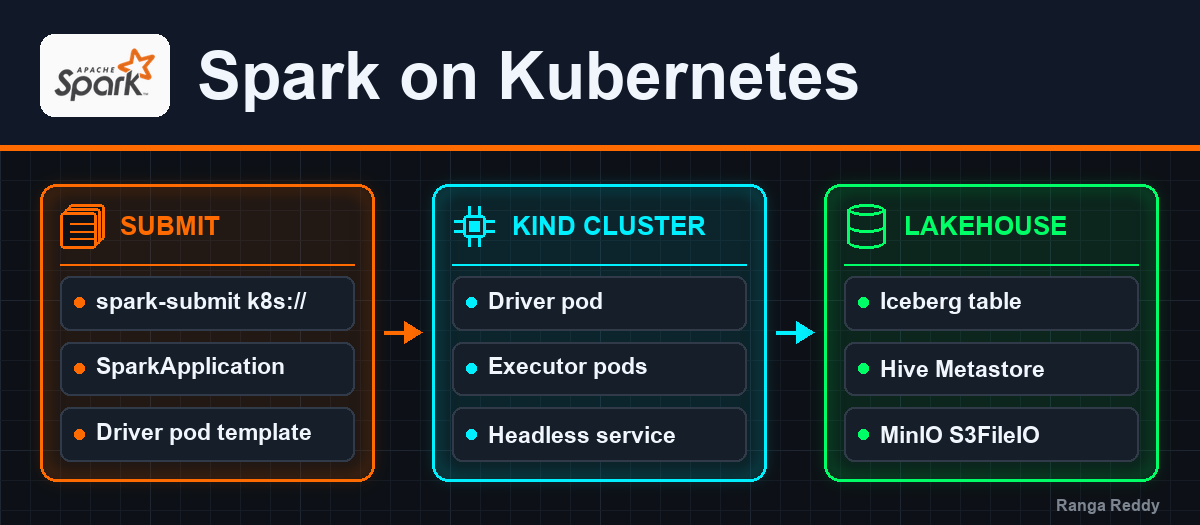
Run Spark on a real Kubernetes cluster on a laptop: a two-node kind cluster, cluster-mode spark-submit from a container, PySpark jobs without a custom image, the Spark Operator, and Spark pods writing Iceberg tables that the rest of the lakehouse can read.
- Overview
- The core problem and architecture
- Under the hood: submission, pods and dependencies
- Hands-on demo: kind, spark-submit, the Operator and Iceberg
- Prerequisites
- Step 1: install kind, kubectl and Helm
- Step 2: create the cluster
- Step 3: namespace, service account and permissions
- Step 4: load the Spark image into the cluster
- Step 5: SparkPi in cluster mode
- Step 6: a PySpark job without building an image
- Step 7: watch a running job in the Spark UI
- Step 8: the same job through the Spark Operator
- Step 9: write Iceberg into the lakehouse stack from Kubernetes
- Clean up
- Real-world scenarios and failures
- Optimisation, tuning knobs and best practices
- Summary and key takeaways
- References
- Trademarks
TL;DR
- A two-node kind cluster on a Mac is enough to run Spark on Kubernetes for real: the driver and every executor are pods, and
spark-submit --master k8s://talks to the API server.- You do not need Spark installed on the Mac. Submitting from a throwaway
apache/sparkcontainer on kind’s Docker network works, and a PySpark job needs no custom image: a ConfigMap holds the script and a driver pod template mounts it.- The Spark Operator runs the same job from a
SparkApplicationmanifest. Its controller submits with its own bundled Spark, which is newer than the application’s, and it still ran the job unchanged.- Pods can write Iceberg tables into the local lakehouse stack’s MinIO and Hive Metastore once the kind nodes join its Docker network. Spark and Trino outside Kubernetes then read exactly what the pods wrote.
- Two collisions are worth knowing before you start: a cluster named
sparkfights the stack’sspark-workercontainer for its name, and a pod’s DNS answer can come from a cache even after the route to it is gone.
Overview
A Spark job that runs fine on a laptop in local[*] mode tells you nothing about
how it behaves when every executor is a pod that the scheduler can place, starve
or kill. Most teams find that out on a shared cluster, where a mistake in RBAC,
image pulls or memory sizing costs everyone a slot. This post builds the same
setup on one Mac instead, so the mistakes are cheap.
By the end you will have:
- A two-node Kubernetes cluster running in Docker with kind.
- Spark in cluster mode submitted with
spark-submit, from a container, so the Mac needs no Spark install. - A PySpark job without a custom image, the script shipped as a ConfigMap.
- The Spark UI reached through
kubectl port-forward. - The Spark Operator running the same job from a manifest.
- Spark pods writing Iceberg into the datalake-playground stack, read back from outside the cluster.
Every command and output below was run on an Intel Mac with Docker Desktop
given 16 GB of memory. The Spark line is 3.5.9 (Scala 2.12, Java 17) from the
official apache/spark:3.5.9-java17-python3 image, on Kubernetes 1.37.0
from kind 0.33.0, with Helm 4.3.0 and Spark Operator 2.5.2.
The core problem and architecture
What Kubernetes changes for Spark
On YARN or a standalone cluster, long-running worker daemons own the machines, and Spark asks them for containers or cores. On Kubernetes there are no Spark daemons at all. The driver is a pod, it asks the Kubernetes API server for executor pods, and when the job ends the executors are deleted. Spark becomes a tenant of a general-purpose scheduler instead of the owner of a dedicated cluster.
| Part | Spark on Kubernetes |
|---|---|
| Problem | A dedicated Spark or Hadoop cluster sits idle between jobs and needs its own operations team |
| Design decision | Run the driver and executors as ordinary pods, scheduled by Kubernetes, isolated by namespace and RBAC |
| Trade-off | Buys shared infrastructure and per-job images at the cost of pod start-up latency, and of making you own RBAC, images and memory sizing |
| Alternative | YARN (long-lived NodeManagers, Hadoop ecosystem), standalone mode (Spark’s own master and workers), managed services such as EMR on EKS or Dataproc |
Who talks to whom
 your Mac                               kind cluster "spark-k8s"
 ┌──────────────────────┐              ┌───────────────────────────────────────┐
 │ docker run           │  1. create   │ control plane                         │
 │   apache/spark       │─────────────>│  kube-apiserver :6443                 │
 │   spark-submit       │  driver pod  └───────┬───────────────▲───────────────┘
 │   --master k8s://... │                      │ 2. schedule   │ 3. create
 └──────────────────────┘                      v               │    executor pods
                                       ┌───────────────────────┴───────────────┐
                                       │ worker node                           │
                                       │  ┌──────────────┐  4. connect back    │
                                       │  │ driver pod   │<──────────────┐     │
                                       │  │ + headless   │               │     │
                                       │  │   service    │   ┌───────────┴──┐  │
                                       │  └──────────────┘   │ executor pods│  │
                                       │                     └──────────────┘  │
                                       └───────────────────────────────────────┘
Read it by the numbers.
spark-submitcreates the driver pod. In cluster mode it does not run your code at all: it builds a pod spec (image, service account, resources, your configuration) and posts it to the API server.- Kubernetes schedules the driver like any other pod.
- The driver creates the executors. It uses the Kubernetes API with its own service account, which is why that account needs permission to create pods.
- Executors connect back to the driver through a headless Service that the driver creates for itself.
The Spark Operator adds one box to this picture: a controller that watches
SparkApplication objects and runs step 1 for you.
Under the hood: submission, pods and dependencies
Submit: what spark-submit builds
KubernetesClientApplication turns the configuration into a driver pod spec
and posts it. Three things in that spec explain most first-run failures:
- The image.
spark.kubernetes.container.imageis used for the driver and, unless overridden, for the executors. With kind the image must be in the node’s container runtime, so it is loaded withkind load docker-image, andimagePullPolicy=IfNotPresentstops Kubernetes from pulling it again. - The service account.
spark.kubernetes.authenticate.driver.serviceAccountNameis the identity the driver uses to create executors. The default service account has no such rights. - The application file.
local:///...means “already inside the image or mounted into the pod”. It is not a path on your Mac.
Allocate: how executors arrive
Inside the driver, ExecutorPodsAllocator requests executors in rounds of
spark.kubernetes.allocation.batch.size pods (default 5) every
spark.kubernetes.allocation.batch.delay (default 1s), and watches the API
server for their state. Each executor pod gets the same image, a
spark-role=executor label and the application’s spark-app-selector label.
When the job finishes the driver deletes them
(spark.kubernetes.executor.deleteOnTermination, default true). The driver
pod itself stays behind in Completed, so its log is still readable.
Size: what each pod requests
Spark turns heap sizes into pod requests. Measured on these runs:
| Pod | spark.*.memory |
Overhead | Pod memory request and limit | CPU request |
|---|---|---|---|---|
| Scala driver or any executor | 1 GB (default) | 384 MiB, the minimum | 1408 MiB | 1 |
| PySpark driver | 1 GB (default) | 409 MiB, 0.4 of the heap | 1433 MiB | 1 |
The overhead is max(factor x memory, 384 MiB). For executors the factor is
0.1 (spark.executor.memoryOverheadFactor), plus spark.executor.pyspark.memory
when you set it, so a PySpark executor is sized like a Scala one. Only the
driver of a non-JVM application gets 0.4 (NON_JVM_MEMORY_OVERHEAD_FACTOR
in the Kubernetes module), because the Python process that runs your code sits
next to the driver’s JVM, outside its heap. The memory limit equals the request
and there is no CPU limit, so a pod that outgrows its memory is killed by the
kernel rather than throttled.
Ship code: three ways to get a job into the pod
| Approach | How | Cost |
|---|---|---|
| Bake it into an image | Build FROM apache/spark with your code |
A registry and an image build per change |
| Mount it | ConfigMap plus a driver pod template | ConfigMaps are limited to about 1 MiB and suit scripts, not fat jars |
| Fetch it | spark.jars.packages or remote URLs |
Downloads on every run; needs network access from the pods |
This post uses the second for code and the third for the Iceberg jars, so it never builds an image.
Hands-on demo: kind, spark-submit, the Operator and Iceberg
Prerequisites
| Requirement | Detail |
|---|---|
| Docker Desktop | With about 4 GB free for the cluster. The Iceberg step also runs the datalake-playground stack, so give Docker 16 GB in total |
| kind, kubectl, Helm | Installed below |
| Free names | No existing containers called spark-k8s-control-plane or spark-k8s-worker |
Work in one folder. Every file below is saved into it:
mkdir spark-on-k8s && cd spark-on-k8s
Step 1: install kind, kubectl and Helm
brew install kind kubectl helm
kind version
kubectl version --client
helm version --short
On an Intel Mac with macOS 15, Homebrew has no prebuilt Helm and tries to compile
it, which stops with Error: Your Command Line Tools are too outdated. Install
Helm from its release tarball instead, checking the published checksum first:
curl -fsSLO https://get.helm.sh/helm-v4.3.0-darwin-amd64.tar.gz
curl -fsSL https://get.helm.sh/helm-v4.3.0-darwin-amd64.tar.gz.sha256sum -o helm.sha256
shasum -a 256 -c helm.sha256
tar -xzf helm-v4.3.0-darwin-amd64.tar.gz
install -m 0755 darwin-amd64/helm /usr/local/bin/helm
helm version --short
helm-v4.3.0-darwin-amd64.tar.gz: OK
v4.3.0+gbec5b06
Apple Silicon Macs use the darwin-arm64 tarball and /opt/homebrew/bin.
Step 2: create the cluster
Save as kind-spark.yaml:
# kind cluster for Spark on Kubernetes: one control plane, one worker.
# The name becomes a prefix of every node container (spark-k8s-control-plane,
# spark-k8s-worker), so it must not collide with containers already running.
kind: Cluster
apiVersion: kind.x-k8s.io/v1alpha4
name: spark-k8s
nodes:
  - role: control-plane
  - role: worker
kind create cluster --config kind-spark.yaml
kubectl wait --for=condition=Ready nodes --all --timeout=180s
kubectl get nodes
NAME                      STATUS   ROLES           AGE   VERSION
spark-k8s-control-plane   Ready    control-plane   25s   v1.37.0
spark-k8s-worker          Ready    <none>          13s   v1.37.0
kind also switches kubectl to the new cluster: the current context is
kind-spark-k8s. The control-plane node carries a taint that keeps ordinary
pods off it, so every Spark pod below runs on spark-k8s-worker.
Step 3: namespace, service account and permissions
Save as spark-rbac.yaml:
# Namespace, service account and the permissions a Spark driver needs to
# create and clean up its executors. Scoped to one namespace.
apiVersion: v1
kind: Namespace
metadata:
  name: spark-jobs
---
apiVersion: v1
kind: ServiceAccount
metadata:
  name: spark
  namespace: spark-jobs
---
apiVersion: rbac.authorization.k8s.io/v1
kind: Role
metadata:
  name: spark-driver
  namespace: spark-jobs
rules:
  - apiGroups: [""]
    resources: ["pods", "services", "configmaps", "persistentvolumeclaims"]
    verbs: ["create", "get", "list", "watch", "update", "patch", "delete", "deletecollection"]
---
apiVersion: rbac.authorization.k8s.io/v1
kind: RoleBinding
metadata:
  name: spark-driver
  namespace: spark-jobs
subjects:
  - kind: ServiceAccount
    name: spark
    namespace: spark-jobs
roleRef:
  kind: Role
  name: spark-driver
  apiGroup: rbac.authorization.k8s.io
kubectl apply -f spark-rbac.yaml
kubectl auth can-i create pods -n spark-jobs --as=system:serviceaccount:spark-jobs:spark
kubectl auth can-i create pods -n default    --as=system:serviceaccount:spark-jobs:spark
yes
no
A Role rather than a ClusterRole keeps the driver inside spark-jobs: it can
create executors there and nowhere else.
Step 4: load the Spark image into the cluster
docker pull apache/spark:3.5.9-java17-python3
kind load docker-image apache/spark:3.5.9-java17-python3 --name spark-k8s
Loading copies the image into both nodes, so no pod has to pull 1.17 GB on its own.
Step 5: SparkPi in cluster mode
spark-submit runs in a container on kind’s kind Docker network, where the API
server is reachable as spark-k8s-control-plane:6443. It needs a kubeconfig that
uses that name rather than the 127.0.0.1 port your Mac uses:
kind get kubeconfig --internal --name spark-k8s > kubeconfig-internal
chmod 644 kubeconfig-internal    # the image runs as uid 185, which must read it
docker run --rm --network kind -v "$PWD":/work:ro -e KUBECONFIG=/work/kubeconfig-internal \
  apache/spark:3.5.9-java17-python3 /opt/spark/bin/spark-submit \
  --master k8s://https://spark-k8s-control-plane:6443 --deploy-mode cluster --name spark-pi \
  --class org.apache.spark.examples.SparkPi \
  --conf spark.kubernetes.namespace=spark-jobs \
  --conf spark.kubernetes.authenticate.driver.serviceAccountName=spark \
  --conf spark.kubernetes.container.image=apache/spark:3.5.9-java17-python3 \
  --conf spark.kubernetes.container.image.pullPolicy=IfNotPresent \
  --conf spark.executor.instances=2 \
  local:///opt/spark/examples/jars/spark-examples_2.12-3.5.9.jar 100
The command waits until the job finishes and prints the driver pod’s state
changes, ending with termination reason: Completed and exit code: 0. The
answer is in the driver’s log:
kubectl logs -n spark-jobs -l spark-app-name=spark-pi,spark-role=driver --tail=-1 | grep -E "Pi is roughly|Registered executor"
INFO KubernetesClusterSchedulerBackend$KubernetesDriverEndpoint: Registered executor NettyRpcEndpointRef(spark-client://Executor) (10.244.1.3:59512) with ID 1, ...
INFO KubernetesClusterSchedulerBackend$KubernetesDriverEndpoint: Registered executor NettyRpcEndpointRef(spark-client://Executor) (10.244.1.4:58216) with ID 2, ...
Pi is roughly 3.1416847141684716
SparkPi samples random points, so your last digits will differ. Both executors
registered from 10.244.1.x, the worker node’s pod network.
Step 6: a PySpark job without building an image
Save the job as orders_job.py:
"""Aggregate a day of e-commerce orders on Spark running in Kubernetes.

The driver runs this file from a ConfigMap mounted at /opt/app by the driver
pod template; executors receive only the serialized tasks.
"""
import random
from datetime import datetime, timedelta

from pyspark.sql import SparkSession, functions as F

spark = SparkSession.builder.appName("orders-on-k8s").getOrCreate()
sc = spark.sparkContext
sc.setLogLevel("WARN")

STATUSES = ["PLACED", "PAID", "SHIPPED", "DELIVERED", "CANCELLED"]
start = datetime(2026, 9, 28)


def make_orders(partition):
    rng = random.Random(partition)          # deterministic per partition
    for i in range(10_000):
        yield (partition * 10_000 + i,
               rng.randint(1, 5_000),
               rng.choice(STATUSES),
               round(rng.uniform(5, 500), 2),
               start + timedelta(seconds=rng.randint(0, 86_399)))


orders = (sc.parallelize(range(20), 20)
            .flatMap(make_orders)
            .toDF(["order_id", "customer_id", "status", "amount", "ordered_at"]))

summary = (orders.groupBy("status")
                 .agg(F.count("*").alias("orders"),
                      F.sum("amount").cast("decimal(14,2)").alias("revenue"))
                 .orderBy("status"))
summary.show(truncate=False)

print("orders:", orders.count())
# getExecutorMemoryStatus has one entry per block manager: the driver plus each executor
print("executors:", sc._jsc.sc().getExecutorMemoryStatus().size() - 1)
spark.stop()
And the driver pod template as driver-template.yaml. Spark merges it into the
driver pod it builds, so it only needs the volume and its mount:
# Driver pod template: mount the job scripts from the spark-app-scripts ConfigMap.
apiVersion: v1
kind: Pod
spec:
  containers:
    - name: spark-kubernetes-driver
      volumeMounts:
        - name: app
          mountPath: /opt/app
  volumes:
    - name: app
      configMap:
        name: spark-app-scripts
The container name must be spark-kubernetes-driver, the name Spark gives the
driver container, or the mount lands on a container that does not exist. Put
the script in the ConfigMap and submit it:
kubectl create configmap spark-app-scripts -n spark-jobs --from-file=orders_job.py

docker run --rm --network kind -v "$PWD":/work:ro -e KUBECONFIG=/work/kubeconfig-internal \
  apache/spark:3.5.9-java17-python3 /opt/spark/bin/spark-submit \
  --master k8s://https://spark-k8s-control-plane:6443 --deploy-mode cluster --name orders-on-k8s \
  --conf spark.kubernetes.namespace=spark-jobs \
  --conf spark.kubernetes.authenticate.driver.serviceAccountName=spark \
  --conf spark.kubernetes.container.image=apache/spark:3.5.9-java17-python3 \
  --conf spark.kubernetes.container.image.pullPolicy=IfNotPresent \
  --conf spark.kubernetes.driver.podTemplateFile=/work/driver-template.yaml \
  --conf spark.executor.instances=2 \
  local:///opt/app/orders_job.py

kubectl logs -n spark-jobs -l spark-app-name=orders-on-k8s,spark-role=driver --tail=-1 | grep -v -E " INFO | WARN "
+---------+------+-----------+
|status   |orders|revenue    |
+---------+------+-----------+
|CANCELLED|40216 |10092982.45|
|DELIVERED|39934 |10085527.78|
|PAID     |40276 |10153207.65|
|PLACED   |39904 |10055047.30|
|SHIPPED  |39670 |10001593.29|
+---------+------+-----------+

orders: 200000
executors: 2
The data is seeded per partition, so these numbers are exactly what you get. The
pod template file is read by spark-submit itself, which is why it is mounted
into the submitting container at /work; the ConfigMap is what reaches the pod.
Step 7: watch a running job in the Spark UI
The UI lives in the driver pod on port 4040. Submit a longer job without waiting
for it (spark.kubernetes.submission.waitAppCompletion=false), then forward the
port:
docker run --rm --network kind -v "$PWD":/work:ro -e KUBECONFIG=/work/kubeconfig-internal \
  apache/spark:3.5.9-java17-python3 /opt/spark/bin/spark-submit \
  --master k8s://https://spark-k8s-control-plane:6443 --deploy-mode cluster --name spark-pi-ui \
  --class org.apache.spark.examples.SparkPi \
  --conf spark.kubernetes.namespace=spark-jobs \
  --conf spark.kubernetes.authenticate.driver.serviceAccountName=spark \
  --conf spark.kubernetes.container.image=apache/spark:3.5.9-java17-python3 \
  --conf spark.kubernetes.container.image.pullPolicy=IfNotPresent \
  --conf spark.kubernetes.submission.waitAppCompletion=false \
  --conf spark.executor.instances=2 \
  local:///opt/spark/examples/jars/spark-examples_2.12-3.5.9.jar 20000

# the newest driver: earlier runs leave Completed drivers with the same labels
DRIVER=$(kubectl get pods -n spark-jobs -l spark-app-name=spark-pi-ui,spark-role=driver \
  --sort-by=.metadata.creationTimestamp -o name | tail -1)
kubectl wait --for=condition=Ready "$DRIVER" -n spark-jobs --timeout=120s
kubectl port-forward -n spark-jobs "$DRIVER" 4040:4040
Open http://localhost:4040. The same data is available as JSON, for example
curl -s http://localhost:4040/api/v1/applications.
To list the job’s pods, select on spark-app-selector, not on the name you
passed with --name:
APP=$(kubectl get "$DRIVER" -n spark-jobs -o jsonpath='{.metadata.labels.spark-app-selector}')
kubectl get pods -n spark-jobs -l spark-app-selector="$APP" -L spark-role,spark-app-name
NAME                                  READY   STATUS    RESTARTS   AGE   SPARK-ROLE   SPARK-APP-NAME
spark-pi-37b0e8a0f04b65b8-exec-1      1/1     Running   0          8s    executor     spark-pi
spark-pi-37b0e8a0f04b65b8-exec-2      1/1     Running   0          8s    executor     spark-pi
spark-pi-ui-aa2dfba0f04b3c68-driver   1/1     Running   0          18s   driver       spark-pi-ui
--name labels the driver, but executors take their spark-app-name from the
name the application sets in code. SparkPi calls itself Spark Pi, so its
executors are labelled spark-app-name=spark-pi while the driver says
spark-pi-ui. Both carry the same spark-app-selector.
Step 8: the same job through the Spark Operator
Install the operator from its Helm chart, telling it to watch spark-jobs:
helm repo add spark-operator https://kubeflow.github.io/spark-operator
helm repo update spark-operator
helm install spark-operator spark-operator/spark-operator --version 2.5.2 \
  --namespace spark-operator --create-namespace \
  --set "spark.jobNamespaces={spark-jobs}" --wait
kubectl get pods -n spark-operator
NAME                                         READY   STATUS    RESTARTS   AGE
spark-operator-controller-75f7d448bc-cggfm   1/1     Running   0          73s
spark-operator-webhook-5fd9ffdb88-m7vk9      1/1     Running   0          73s
The chart installs the SparkApplication resource type and creates a
spark-operator-spark service account, with the rights a driver needs, in each
watched namespace. Save the job as orders-sparkapplication.yaml:
# The orders job as a SparkApplication, run by the Spark Operator.
apiVersion: sparkoperator.k8s.io/v1beta2
kind: SparkApplication
metadata:
  name: orders-operator
  namespace: spark-jobs
spec:
  type: Python
  pythonVersion: "3"
  mode: cluster
  image: apache/spark:3.5.9-java17-python3
  imagePullPolicy: IfNotPresent
  mainApplicationFile: local:///opt/app/orders_job.py
  sparkVersion: 3.5.9
  restartPolicy:
    type: Never
  volumes:
    - name: app
      configMap:
        name: spark-app-scripts
  driver:
    cores: 1
    memory: 1g
    serviceAccount: spark-operator-spark
    volumeMounts:
      - name: app
        mountPath: /opt/app
  executor:
    instances: 2
    cores: 1
    memory: 1g
kubectl apply -f orders-sparkapplication.yaml
kubectl get sparkapplication orders-operator -n spark-jobs -w
NAME              SUSPEND   STATUS   ATTEMPTS   START   FINISH   AGE
orders-operator                                                  0s
orders-operator             SUBMITTED    1          2026-09-30T03:28:43Z   <no value>             6s
orders-operator             RUNNING      1          2026-09-30T03:28:43Z   <no value>             7s
orders-operator             SUCCEEDING   1          2026-09-30T03:28:43Z   2026-09-30T03:29:25Z   42s
orders-operator             COMPLETED    1          2026-09-30T03:28:43Z   2026-09-30T03:29:25Z   42s
The watch prints a line for every status update; this is one line per state, trimmed from that run. Stop it with Ctrl-C.
kubectl logs -n spark-jobs orders-operator-driver prints the same five-row
summary as step 6. The volume is declared once in the manifest instead of a pod
template; the operator’s webhook adds it to the driver pod.
Step 9: write Iceberg into the lakehouse stack from Kubernetes
This step uses the datalake-playground stack for its MinIO and Hive Metastore:
git clone https://github.com/rangareddy/datalake-playground.git
cd datalake-playground
SPARK_VERSION=3.5.9 sh run_datalake.sh start
sh run_datalake.sh status
cd ..
The stack’s services live on a Docker network called datalake; kind’s nodes
live on kind. Attach the two nodes to datalake so pods can resolve minio
and hive-metastore:
docker network connect datalake spark-k8s-control-plane
docker network connect datalake spark-k8s-worker
Pods use the cluster’s DNS, which forwards unknown names to the node’s resolver,
so once the node is on datalake, a pod resolves the stack’s container names.
Give the MinIO credentials to Kubernetes as a Secret rather than in the command:
kubectl create secret generic minio-creds -n spark-jobs \
  --from-literal=access-key=admin --from-literal=secret-key=password
Save the job as iceberg_orders_job.py:
"""Write an Iceberg table from Spark on Kubernetes into the datalake-playground stack.

The catalog is the stack's Hive Metastore (thrift://hive-metastore:9083) and the
data lands in its MinIO (http://minio:9000) through Iceberg's S3FileIO. The
kind nodes must be on the stack's `datalake` Docker network so pods can
resolve those names. The Iceberg jars come from spark.jars.packages at submit
time; the MinIO credentials arrive as environment variables from a Secret.
"""
import random
from datetime import datetime, timedelta

from pyspark.sql import SparkSession, functions as F

spark = (
    SparkSession.builder.appName("iceberg-orders-on-k8s")
    .config("spark.sql.extensions",
            "org.apache.iceberg.spark.extensions.IcebergSparkSessionExtensions")
    .config("spark.serializer", "org.apache.spark.serializer.KryoSerializer")
    .config("spark.sql.catalog.lake", "org.apache.iceberg.spark.SparkCatalog")
    .config("spark.sql.catalog.lake.type", "hive")
    .config("spark.sql.catalog.lake.uri", "thrift://hive-metastore:9083")
    .config("spark.sql.catalog.lake.warehouse", "s3a://warehouse/")
    .config("spark.sql.catalog.lake.io-impl", "org.apache.iceberg.aws.s3.S3FileIO")
    .config("spark.sql.catalog.lake.s3.endpoint", "http://minio:9000")
    .config("spark.sql.catalog.lake.s3.path-style-access", "true")
    .config("spark.sql.catalog.lake.client.region", "us-east-1")
    .getOrCreate()
)
spark.sparkContext.setLogLevel("WARN")
sql = spark.sql
TABLE = "lake.k8s_orders.orders"

STATUSES = ["PLACED", "PAID", "SHIPPED", "DELIVERED", "CANCELLED"]
start = datetime(2026, 9, 28)


def make_orders(partition):
    rng = random.Random(partition)
    for i in range(10_000):
        yield (partition * 10_000 + i,
               rng.randint(1, 5_000),
               rng.choice(STATUSES),
               round(rng.uniform(5, 500), 2),
               start + timedelta(seconds=rng.randint(0, 86_399)))


orders = (spark.sparkContext.parallelize(range(20), 20)
               .flatMap(make_orders)
               .toDF(["order_id", "customer_id", "status", "amount", "ordered_at"])
               .withColumn("order_date", F.to_date("ordered_at")))

sql("CREATE NAMESPACE IF NOT EXISTS lake.k8s_orders")
sql(f"DROP TABLE IF EXISTS {TABLE} PURGE")
(orders.writeTo(TABLE)
       .using("iceberg")
       .partitionedBy(F.col("status"))
       .create())

sql(f"""SELECT status, count(*) AS orders,
               CAST(sum(amount) AS DECIMAL(14,2)) AS revenue
        FROM {TABLE} GROUP BY status ORDER BY status""").show(truncate=False)
sql(f"SELECT snapshot_id, operation, summary['added-records'] AS added "
    f"FROM {TABLE}.snapshots").show(truncate=False)
print("data files:", sql(f"SELECT count(*) FROM {TABLE}.files").collect()[0][0])
print("location:", sql(f"DESCRIBE TABLE EXTENDED {TABLE}")
      .where("col_name = 'Location'").collect()[0][1])
spark.stop()
Add it to the ConfigMap next to the first script, then submit. The two Iceberg
jars are not in the stock image, so spark.jars.packages fetches them; the
driver resolves them into a writable Ivy directory and serves them to the
executors:
kubectl create configmap spark-app-scripts -n spark-jobs \
  --from-file=orders_job.py --from-file=iceberg_orders_job.py \
  --dry-run=client -o yaml | kubectl apply -f -

docker run --rm --network kind -v "$PWD":/work:ro -e KUBECONFIG=/work/kubeconfig-internal \
  apache/spark:3.5.9-java17-python3 /opt/spark/bin/spark-submit \
  --master k8s://https://spark-k8s-control-plane:6443 --deploy-mode cluster --name iceberg-orders \
  --conf spark.kubernetes.namespace=spark-jobs \
  --conf spark.kubernetes.authenticate.driver.serviceAccountName=spark \
  --conf spark.kubernetes.container.image=apache/spark:3.5.9-java17-python3 \
  --conf spark.kubernetes.container.image.pullPolicy=IfNotPresent \
  --conf spark.kubernetes.driver.podTemplateFile=/work/driver-template.yaml \
  --conf spark.executor.instances=2 \
  --conf spark.jars.packages=org.apache.iceberg:iceberg-spark-runtime-3.5_2.12:1.11.0,org.apache.iceberg:iceberg-aws-bundle:1.11.0 \
  --conf spark.jars.ivy=/tmp/.ivy2 \
  --conf spark.kubernetes.driver.secretKeyRef.AWS_ACCESS_KEY_ID=minio-creds:access-key \
  --conf spark.kubernetes.driver.secretKeyRef.AWS_SECRET_ACCESS_KEY=minio-creds:secret-key \
  --conf spark.kubernetes.executor.secretKeyRef.AWS_ACCESS_KEY_ID=minio-creds:access-key \
  --conf spark.kubernetes.executor.secretKeyRef.AWS_SECRET_ACCESS_KEY=minio-creds:secret-key \
  local:///opt/app/iceberg_orders_job.py

kubectl logs -n spark-jobs -l spark-app-name=iceberg-orders,spark-role=driver --tail=-1 | grep -E "^\||^data files|^location"
|status   |orders|revenue    |
|CANCELLED|40216 |10092982.45|
|DELIVERED|39934 |10085527.78|
|PAID     |40276 |10153207.65|
|PLACED   |39904 |10055047.30|
|SHIPPED  |39670 |10001593.29|
|snapshot_id        |operation|added |
|5250790653399059677|append   |200000|
data files: 5
location: s3a://warehouse/k8s_orders.db/orders
One append snapshot of 200,000 rows, in five data files, one per status
partition. Now read it from outside Kubernetes. Trino in the stack’s all
profile sees it through the same metastore:
docker exec trino trino --execute \
  "SELECT status, count(*) AS orders, CAST(sum(amount) AS DECIMAL(14,2)) AS revenue
   FROM iceberg.k8s_orders.orders GROUP BY status ORDER BY status"
"CANCELLED","40216","10092982.45"
"DELIVERED","39934","10085527.78"
"PAID","40276","10153207.65"
"PLACED","39904","10055047.30"
"SHIPPED","39670","10001593.29"
The stack’s own Spark, outside the cluster, reads the same five groups and the single snapshot:
docker exec spark-master bash -c '$SPARK_HOME/bin/spark-sql --master "local[2]" \
  --jars $(ls $ICEBERG_HOME/iceberg-spark-runtime*.jar) \
  --conf spark.sql.catalog.ice=org.apache.iceberg.spark.SparkCatalog \
  --conf spark.sql.catalog.ice.type=hive \
  --conf spark.sql.catalog.ice.uri=thrift://hive-metastore:9083 \
  -e "SELECT count(*) FROM ice.k8s_orders.orders; SELECT count(*) FROM ice.k8s_orders.orders.snapshots"' 2>/dev/null
count(1)
200000
count(1)
1
Three engines, one table: the pods wrote it, Trino and the stack’s Spark read it, and the counts agree to the cent.
Clean up
# the Iceberg table and its namespace, from the stack
docker exec spark-master bash -c '$SPARK_HOME/bin/spark-sql --master "local[2]" \
  --jars $(ls $ICEBERG_HOME/iceberg-spark-runtime*.jar) \
  --conf spark.sql.catalog.ice=org.apache.iceberg.spark.SparkCatalog \
  --conf spark.sql.catalog.ice.type=hive \
  --conf spark.sql.catalog.ice.uri=thrift://hive-metastore:9083 \
  -e "DROP TABLE ice.k8s_orders.orders PURGE; DROP NAMESPACE ice.k8s_orders"' 2>/dev/null
# PURGE removes the files but leaves empty 0-byte folder markers behind
docker exec mc /usr/bin/mc rm --recursive --force minio/warehouse/k8s_orders.db/

# detach the nodes from the stack's network, then remove the cluster
docker network disconnect datalake spark-k8s-control-plane
docker network disconnect datalake spark-k8s-worker
kind delete cluster --name spark-k8s
Real-world scenarios and failures
A cluster named spark takes a name the lakehouse stack already uses. kind
names its node containers <cluster>-control-plane and <cluster>-worker. The
first attempt here used name: spark, and kind create cluster stopped with:
docker: Error response from daemon: Conflict. The container name "/spark-worker"
is already in use by container "e3ae102213f2...". You have to remove (or rename)
that container to be able to reuse that name.
spark-worker was the running stack’s Spark worker. kind refused and removed
its own half-made node, so nothing was damaged, but a cluster name that could
match an existing container is a trap. Hence spark-k8s.
A pod resolved the stack’s names without the network connect, from a cache.
While checking whether the docker network connect step was needed, both nodes
were detached and a pod still resolved minio and opened port 9000. It looked
unnecessary. After 40 seconds, and for names the pod had not looked up before,
the truth appeared:
trino     no DNS answer
kafka-ui  no DNS answer
minio     no DNS answer
172.18.0.5:9000 (minio by IP) open
The cluster’s DNS had answered from its cache, which holds entries for 30 seconds by default. Without the connect, names do not resolve. Traffic by IP still reached MinIO on this Docker Desktop, which does not isolate the two networks, but container IPs change whenever the stack restarts. Connect the nodes and use names.
Selecting a job’s pods by --name misses the executors. Step 7 found only
the driver with -l spark-app-name=spark-pi-ui, although both executors were
running and taking tasks. They were labelled spark-app-name=spark-pi, from
the application’s own appName("Spark Pi"). spark-app-selector is the
label every pod of one run shares.
The operator’s Spark is not your application’s Spark. The controller image
ghcr.io/kubeflow/spark-operator/controller:2.5.2 contains
spark-core_2.13-4.0.4.jar and submits with it. The application ran on its own
image: the driver logged Running Spark version 3.5.9, and the output matched
the plain spark-submit run. Set sparkVersion in the manifest to the
application’s version, and test your own image before relying on a newer
controller.
A second run of the same job breaks a naive driver lookup. Step 7 first
found its driver with kubectl get pods -l spark-app-name=spark-pi-ui,spark-role=driver
-o name. On the second run that returned two pods, the finished driver and the
new one, and kubectl wait stopped with error: arguments in resource/name form
may not have more than one slash. Sort by creation time and take the newest, as
step 7 now does.
kubectl logs -l shows ten lines per pod. With a label selector instead of a
pod name, kubectl logs defaults to --tail=10, so a grep for Pi is roughly
finds nothing in a long driver log. Pass --tail=-1 whenever you select by label.
DROP TABLE ... PURGE leaves empty folders in MinIO. After the clean-up’s
DROP TABLE and DROP NAMESPACE, every data and metadata file was gone and the
namespace was out of the metastore, but mc ls still showed k8s_orders.db/
with 0-byte markers such as orders/data/status=PAID/. They are harmless, but
they accumulate across test runs, so the clean-up removes the prefix with mc rm.
Completed driver pods accumulate. Executors are deleted when a job ends;
drivers are not, so kubectl get pods -n spark-jobs grows with every run. That
is useful for logs and a nuisance after a day of testing. Delete finished ones
with kubectl delete pods -n spark-jobs -l spark-role=driver
--field-selector=status.phase==Succeeded, or let the operator do it with
timeToLiveSeconds in the SparkApplication spec.
A driver log full of WARN lines is not a failure. Every successful run here
printed some or all of these:
| Message | Why it is harmless |
|---|---|
NativeCodeLoader: Unable to load native-hadoop library |
Hadoop uses its Java implementations |
ExecutorPodsWatchSnapshotSource: Kubernetes client has been closed |
Printed while the driver shuts down its watch |
SparkContext: The JAR local:///... has been added already |
SparkPi’s jar is both the application and a dependency |
Optimisation, tuning knobs and best practices
The settings that matter first
| Setting | Default | Why you set it |
|---|---|---|
spark.kubernetes.namespace |
default |
Keep jobs in a namespace with its own RBAC and quotas |
spark.kubernetes.authenticate.driver.serviceAccountName |
default |
The driver needs rights to create executor pods |
spark.kubernetes.container.image |
none | Required; pin an exact tag |
spark.kubernetes.container.image.pullPolicy |
IfNotPresent |
Use IfNotPresent with preloaded images; Always for moving tags |
spark.executor.instances |
2 | Or enable dynamic allocation with shuffle tracking |
spark.kubernetes.driver.podTemplateFile |
none | Volumes, sidecars, tolerations, anything the conf keys do not cover |
spark.kubernetes.submission.waitAppCompletion |
true |
false returns as soon as the driver pod exists |
spark.kubernetes.allocation.batch.size |
5 | Executor pods requested per round |
spark.kubernetes.executor.deleteOnTermination |
true |
false keeps executor pods for post-mortems |
Size memory for the pod, not the heap
The pod request is heap plus overhead, and the limit equals the request. By the
formula above, spark.executor.memory=4g works out to executor pods of 4505 MiB
(4096 plus 0.1 of it), and spark.driver.memory=4g on a PySpark job to a driver
pod of 5734 MiB (4096 plus 0.4 of it). The scheduler places whole pods, so plan node capacity in pod
sizes, not heap sizes. If Python workers need real memory of their own, set
spark.executor.pyspark.memory so it is added to the pod rather than taken
from its overhead.
Checklist
- Give each team or pipeline its own namespace, service account and Role; never run drivers as
default. - Pin images to exact tags and preload or mirror them; image pulls are the slowest part of a cold start.
- Keep credentials in Secrets and pass them with
spark.kubernetes.{driver,executor}.secretKeyRef.*. - Select pods by
spark-app-selector, and clean up completed drivers on a schedule or with the operator’stimeToLiveSeconds. - Use a pod template for volumes and scheduling rules instead of forking the image.
- When pods need a service outside the cluster, give them a stable name, not an IP.
Summary and key takeaways
Spark on Kubernetes replaces Spark’s own daemons with the Kubernetes scheduler. The driver is a pod that creates its executors through the API server, so the work you take on is Kubernetes work: images, a service account with a Role, memory sized as pod requests, and pod templates for anything the configuration keys do not reach.
- kind gives you a real multi-node cluster on a Mac; name it so its node containers cannot collide with anything already running.
- Submit from a container, with an
--internalkubeconfig, and the Mac needs no Spark. - Ship PySpark code as a ConfigMap mounted by a driver pod template before you build images.
- The operator is a submitter, not a runtime: its bundled Spark submitted a job that ran on a different Spark version.
- Pods can join the rest of your lakehouse: on the same catalog and object store, Kubernetes, Trino and a Spark outside the cluster all read one Iceberg table.
References
- Running Spark on Kubernetes, the configuration reference and pod template rules
- kind quick start for cluster configuration and
kind load - Kubeflow Spark Operator for the
SparkApplicationAPI and the Helm chart - Run every demo on this blog locally for the datalake-playground stack used in step 9
Trademarks
Apache Spark, Apache Iceberg, Apache and the Apache feather logo are either registered trademarks or trademarks of The Apache Software Foundation in the United States and other countries. Kubernetes and Helm are registered trademarks of The Linux Foundation. Trino is a trademark of the Trino Software Foundation. MinIO is a trademark of MinIO, Inc. Docker is a trademark of Docker, Inc.
Found this useful?
These posts and tools are free. If one saved you an afternoon, you can buy me a coffee.